QuickBite Kiosk
A full-stack self-order kiosk web app that replicates the touchscreen ordering experience of modern fast food restaurants.
Overview
Walk into any modern fast food chain and you'll find a row of self-order kiosks. They cut queues, reduce order errors, and - honestly - they're just more fun to use than talking to a cashier at 8 AM. QuickBite Kiosk is my take on building one from scratch.
It was my first ever project, and it was the point where everything started to make sense. I finally saw how the things I had been learning came together. It wasn’t beautiful or polished, but it was an important first step. The goal was to go beyond a simple CRUD app and create something that reflects the real-world complexity of a kiosk: multi-language support, inactivity detection, item-level customisation, dynamic pricing, an admin dashboard, and a sales reporting module. All of it, solo.
Architecture & Tech Stack
- Next.js 15 (App Router) - File-based routing, server components, and a clean way to co-locate layouts with pages
- React 19 + Tailwind CSS - Rapid styling, responsive out of the box for various screen sizes
- Component Library - Material UI + Headless UI - MUI for the admin data tables and checkboxes; Headless UI for accessible modal primitives
- State Management - Cart state needed to be globally accessible without the overhead of Redux for a project of this scope
- localStorage + MongoDB** - Cart survives a page refresh client-side; orders and product data live in MongoDB
Key Features
Customer-Facing Kiosk
- Order type selection - dine-in (with table number entry) or takeaway, reflected throughout the flow
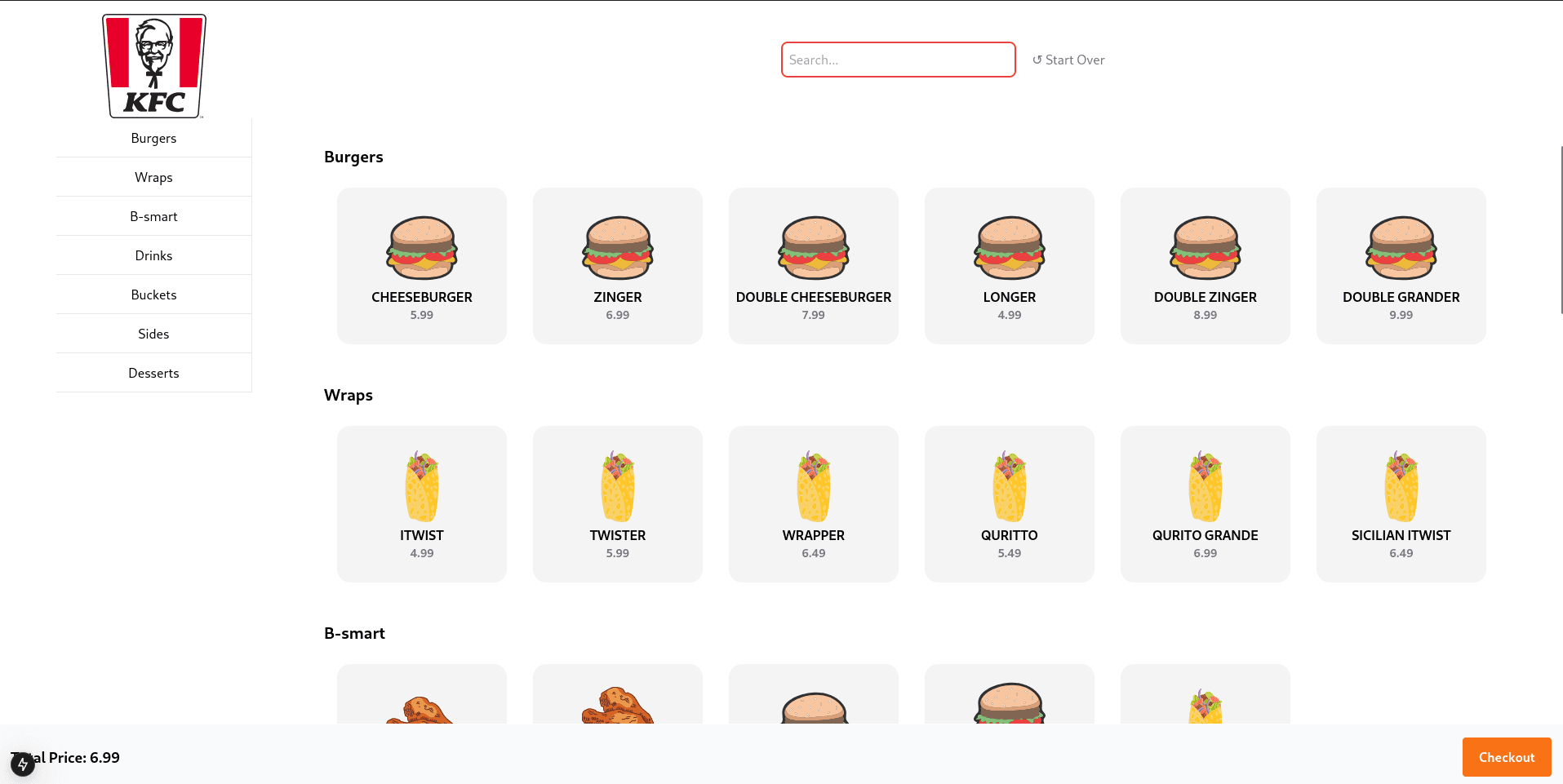
- Categorised menu browser - food categories are derived dynamically from the data source, so adding a new category requires zero UI changes
- Item customisation modal - customers can remove default ingredients and add paid extras (extra cheese +$2.00, bacon +$2.00), with price recalculated in real time
- Persistent cart - backed by
localStorage, so a hard refresh does not nuke someone's order mid-session - Smart checkout summary - cart items are grouped by configuration, with an animated estimated wait time based on order volume
- Auto-logout on inactivity - after 60 seconds of no interaction a warning overlay appears; at 2 minutes the session resets to the home screen, keeping the kiosk ready for the next customer
Admin Panel
- Secure login page routing to a protected dashboard
- Live orders view - colour-coded status badges (Delivered / In Progress / Cancelled)
- Product management - browse and edit the full menu catalogue
- Sales report table - per-product breakdown of units sold and total revenue, filterable by date
The Challenge & Solution
Keeping the Cart alive without a backend session
The trickiest part wasn't routing or the UI - it was making the cart feel resilient. A kiosk screen can be bumped, a browser tab can crash, and Next.js server components re-render on navigation. If cart state only lived in a component's local useState, any navigation would wipe it.
The solution was a CartContext that pairs Context API with localStorage as a write-through cache:
// On mount - rehydrate from storage
useEffect(() => {
  const storedCart = localStorage.getItem("cart");
  if (storedCart) {
    const parsedCart = JSON.parse(storedCart);
    setCartItems(parsedCart);
    calculateTotal(parsedCart);
  }
}, []);

// On every cart update - write back to storage
useEffect(() => {
  localStorage.setItem("cart", JSON.stringify(cartItems));
  calculateTotal(cartItems);
}, [cartItems]);
Every mutation (addToCart, removeItem, updateQuantity, clearCart) goes through the context, so the entire app has a single source of truth that also survives a refresh.
The Inactivity Auto-Logout
A kiosk left unattended is a UX failure - the next customer walks up to someone else's half-finished order. The AutoLogout component solves this with two stacked setTimeout calls reset on any mousemove or keydown event:
- T+60s: display a "Are you still here?" overlay
- T+120s:
router.push("/")- hard reset to the home screen
The key detail is cleaning up both timers in the useEffect return to prevent memory leaks across re-renders. Small thing, but the kind of thing that breaks kiosks in production.
Lessons Learned
1. Context is powerful, but scope it carefully
Using a single CartContext for the whole app worked well here, but I now understand that nesting gets ugly fast.
2. Dynamic pricing logic belongs in the cart, not the modal
My first instinct was to calculate final item price inside ItemModal and pass it as a prop. That leads to price drift the moment you touch the extras logic. Moving the calculation into addToCart - where all order data lives - made the checkout total always accurate and the modal dumb and easy to test.